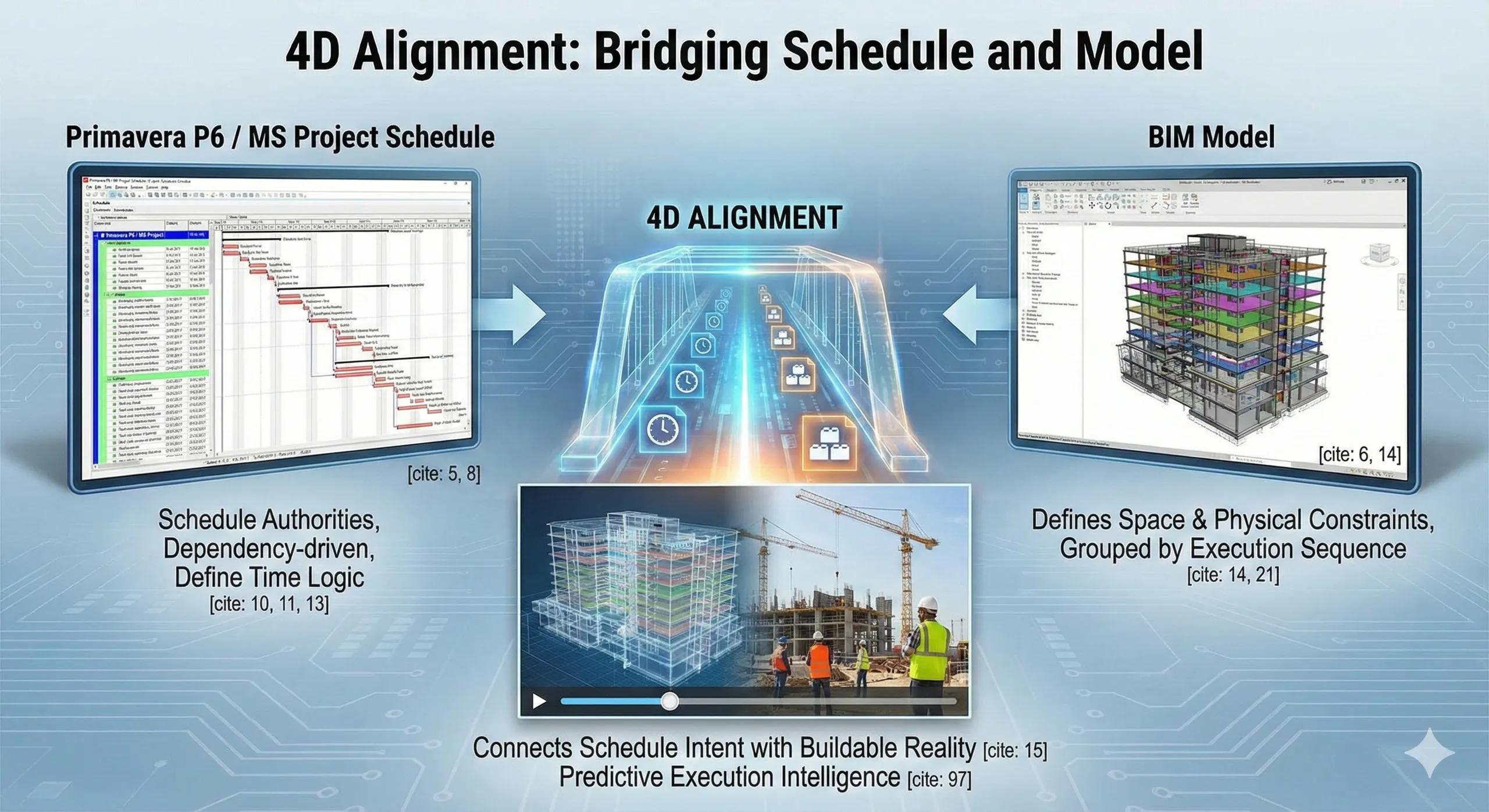
Most 4D BIM efforts break not because of modeling issues, but because schedules and models speak different languages .
Planning teams live in Primavera or MS Project.
BIM teams live in models.
4D succeeds only when these two worlds are aligned, cleanly, consistently, and realistically.
1. The Role of Primavera and MS Project in 4D
Primavera P6 and MS Project are:
Schedule authorities
Dependency-driven
Resource- and milestone-aware
They define time logic , not geometry.
BIM defines space and physical constraints .
4D alignment connects schedule intent with buildable reality .
2. What 4D Alignment Actually Means
True alignment is not:
Importing a schedule and pressing “play”
Creating a one-time animation for review meetings
It means:
Activities are structured to match construction logic
BIM elements are grouped by execution sequence
One activity maps to a meaningful physical outcome
If activities don’t represent how work happens , 4D becomes misleading.
3. Preparing Schedules for 4D (The Often-Missed Step)
For 4D to work, schedules must be:
Activity-based, not lump-sum
Spatially aware (zones, floors, areas)
Free of placeholder logic
Stable enough to link, flexible enough to update
Schedules built only for reporting rarely work for 4D.
4. Mapping BIM Elements to Schedule Activities
Effective linking requires:
Consistent naming conventions
Clear Work Breakdown Structure (WBS)
Logical grouping (by floor, zone, system)
Avoiding one-to-many chaos
Rule of thumb:
One activity should result in something visibly complete on site.
5. Managing Change Without Breaking the Model
Schedules change. Sites adapt.
4D must survive this.
Good practices include:
Linking by rules, not manual picks
Using parameters or classifications
Versioning schedules deliberately
Updating models only at defined milestones
4D fails when updates are ad-hoc.
6. Primavera vs MS Project: Practical Differences
Primavera P6 Better for large, complex projects Strong dependency and resource handling Common in infrastructure and EPC
MS Project Simpler, faster setup Better for building-scale projects Easier adoption by smaller teams
4D principles remain the same, the discipline differs.
7. What 4D Reveals When Alignment Is Done Right
Aligned 4D exposes:
Impossible sequences
Overlapping trade access
Unrealistic durations
Temporary works conflicts
Logistics bottlenecks
These issues exist anyway.
4D simply removes plausible deniability.
8. India Context: Why Alignment Matters More
In Indian projects:
Parallel execution is common
Space is constrained
Schedules are aggressively optimistic
4D alignment helps:
Challenge assumptions early
Communicate plans visually to site teams
Reduce coordination breakdowns
9. 4D Is a Planning Conversation Tool
The real value of 4D is not the simulation.
It is the discussion it enables between planners, site teams, and engineers.
When alignment is strong:
Meetings become factual
Decisions become defensible
Replanning becomes faster
10. A Simple Alignment Rule
If your schedule cannot be explained spatially, it is not execution-ready.
Conclusion
Primavera and MS Project are powerful planning tools.
BIM is a powerful spatial tool.
4D alignment turns them into a single execution system .
When schedules and models are aligned:
Plans become buildable
Risks surface early
Teams coordinate better
Time regains credibility
Without alignment, 4D is animation.
With alignment, 4D becomes predictive execution intelligence .