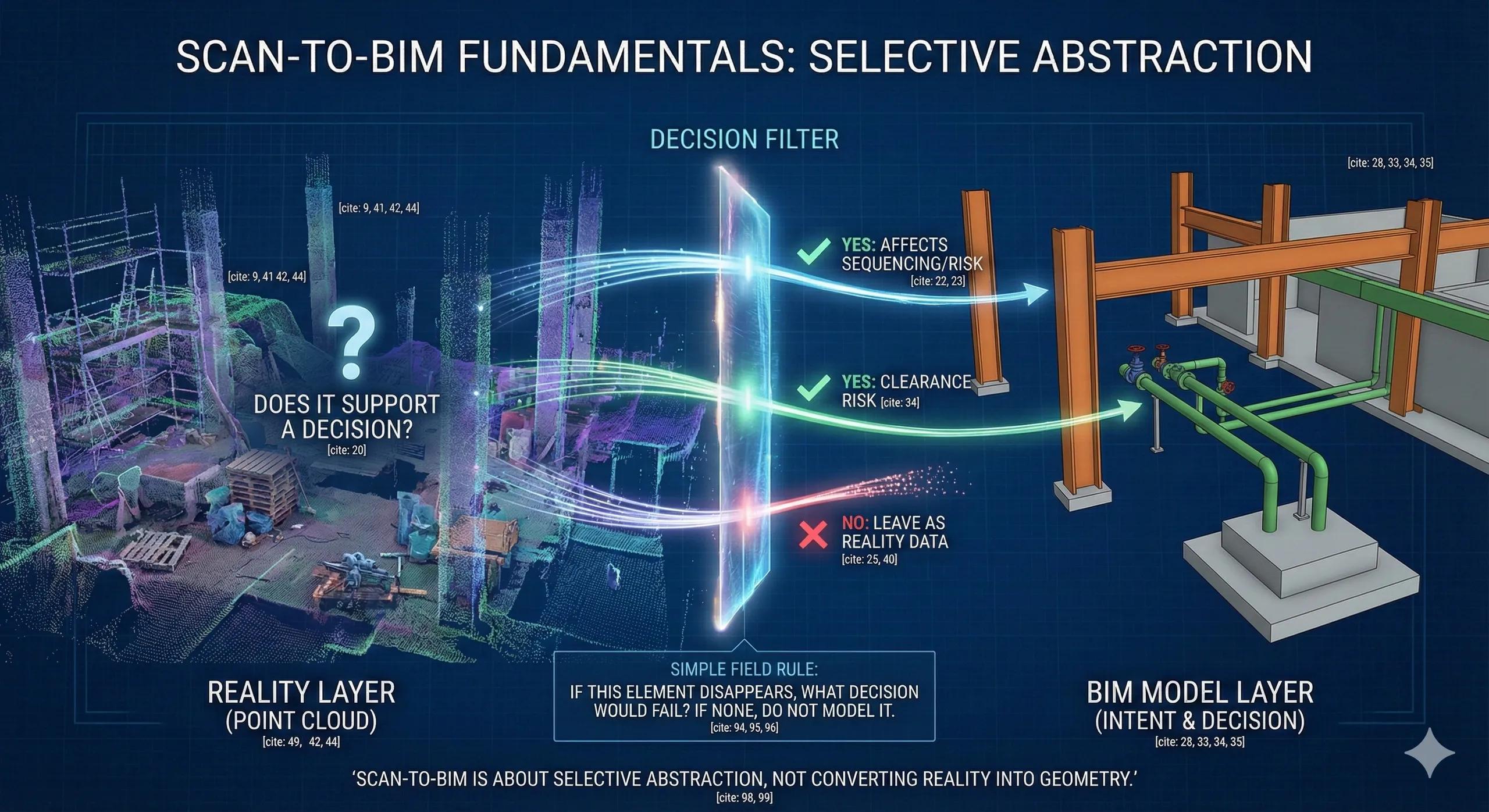
Scan-to-BIM is one of the most misunderstood workflows in digital construction. Many teams assume that once a point cloud exists, the logical next step is to “model everything.” That assumption is the root cause of bloated models, slow updates, frustrated teams, and Scan-to-BIM initiatives that quietly die after a few cycles.
The real question is not how to model from scans , but what is worth modeling at all .
This article sets the foundation for Phase 3 by explaining how to decide what should be modeled, what should remain as reality data, and why restraint is the most important Scan-to-BIM fundamentals skill .
1. Why ‘Model Everything’ Is a Bad Strategy
Point clouds capture continuous reality .
BIM models represent discrete intent .
Trying to convert all captured reality into BIM objects leads to:
Over-modeling
High update costs
Slow coordination
Stale models that no one trusts
Teams reverting to screenshots and PDFs
Scan-to-BIM fails not because modeling is hard, but because too much is modeled without purpose .
2. Scan-to-BIM Is a Decision Workflow, Not a Modeling Task
A simple rule clarifies everything:
If an element does not support a decision, it should not be modeled.
Every modeled element should answer at least one of these:
Does it affect construction sequencing?
Does it carry tolerance or clearance risk?
Does it impact cost, safety, or compliance?
Will it be reused in operations or maintenance?
If the answer is “no,” the point cloud is often sufficient.
3. What BIM Is Actually Good At Representing
BIM excels at elements that are:
Discrete (clearly bounded objects)
Repeatable (standardized geometry)
Parametric (rule-based)
Lifecycle-relevant
Typical Scan-to-BIM candidates:
Structural elements (columns, beams, slabs)
MEP systems with clearance risk
Equipment foundations
Permanent architectural elements
Assets tied to maintenance or compliance
These elements benefit from abstraction into BIM objects.
4. What Should Usually NOT Be Modeled
Certain realities are better left as reality data:
Temporary works (scaffolding, formwork)
Irregular excavation surfaces
Deformed or legacy geometry unless required
Construction clutter
Short-lived site conditions
Reality meshes or point clouds preserve these more truthfully and with less effort than BIM models ever could.
5. The Three-Layer Scan-to-BIM Stack
A practical way to think about Scan-to-BIM is a layered model stack :
Layer 1: Reality Layer
Point clouds
Reality meshes
Time-stamped snapshots
Ground truth
Layer 2: Decision BIM Layer
Modeled only where decisions are required
Tolerance-critical elements
Interfaces and constraints
Layer 3: Intent & Planning Layer
Design BIM
Sequencing logic
Quantities and rules
Scan-to-BIM is about connecting these layers , not collapsing them into one.
6. Accuracy Dictates Modeling Depth
Not all modeling needs the same fidelity.
±5–10 mm → fabrication-critical modeling
±20–30 mm → coordination and clearance checks
±50 mm+ → progress and spatial validation
Model only to the lowest accuracy required for the decision.
Anything beyond that is waste.
7. Modeling Frequency Matters More Than Modeling Detail
In active construction:
A perfect model updated quarterly is less useful than
A lean model updated weekly
Scan-to-BIM should prioritize:
Speed
Repeatability
Consistency
Over-detailed models slow down update cycles and reduce trust.
8. Scan-to-BIM for Operations Is a Different Conversation
For handover and O&M:
Asset relevance matters
Metadata matters more than geometry
Governance matters more than visuals
Do not confuse construction Scan-to-BIM with asset Scan-to-BIM .
They serve different masters.
9. Common Scan-to-BIM Failure Patterns
Modeling everything visible
No modeling rules or scope boundaries
Ignoring update frequency
Treating point clouds as temporary
No agreement on “authoritative” source
Each failure stems from the same root cause: lack of intent clarity .
10. A Simple Field Rule
Before modeling anything from a scan, ask:
If this element disappears from the BIM model tomorrow, what decision would fail?
If none, do not model it.
Conclusion
Scan-to-BIM is not about converting reality into geometry.
It is about selective abstraction .
When done right:
BIM stays lean
Reality stays truthful
Decisions get faster
Teams trust the data
When done wrong:
Models bloat
Updates lag
Reality capture gets ignored
In BIM-to-field workflows, the smartest model is often the one that leaves most of reality untouched .