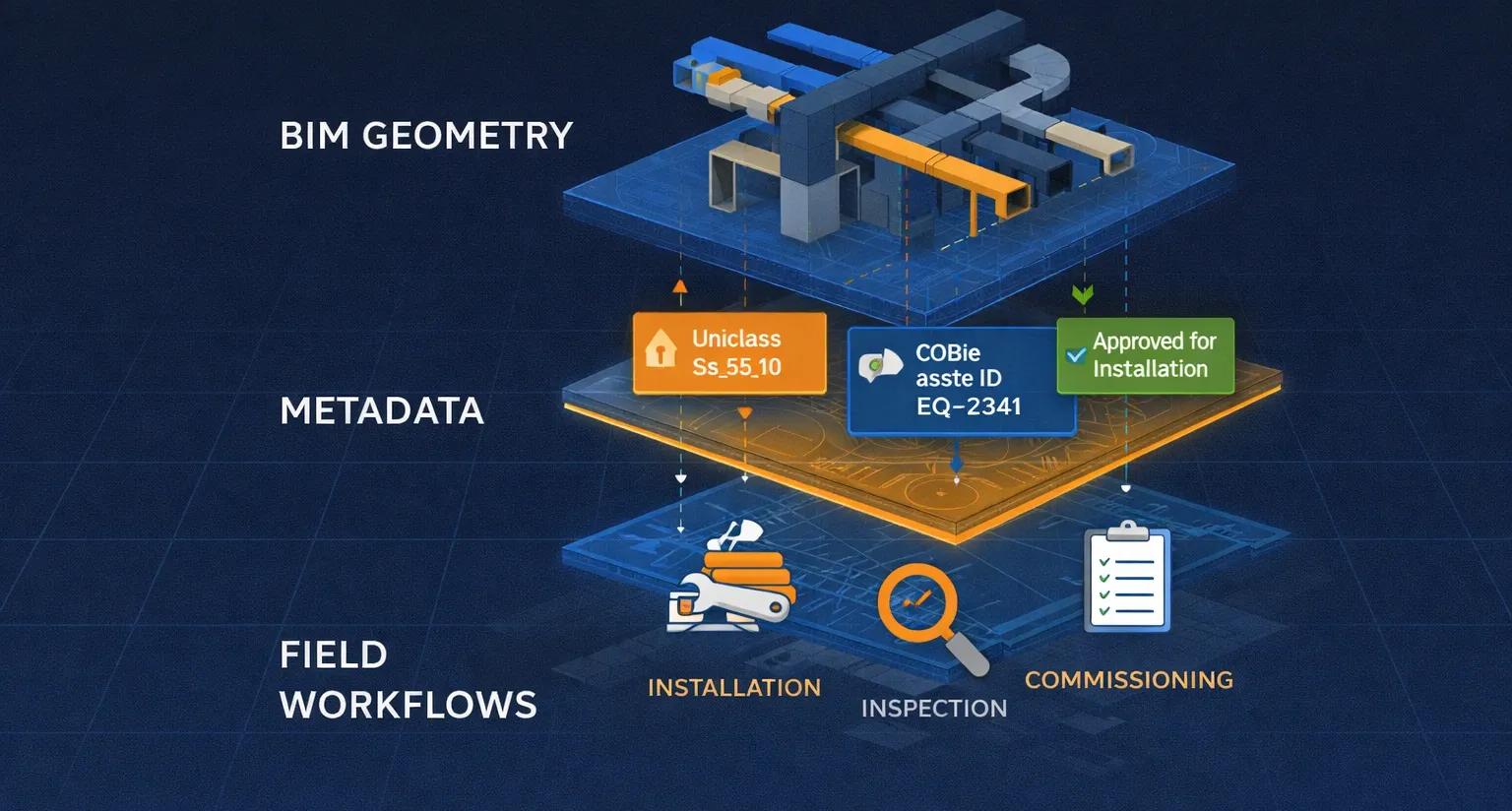
In BIM-to-field workflows, most failures attributed to “poor data” are actually failures of metadata structure . Geometry may be accurate, models may be coordinated, and clashes may be resolved, yet the field still struggles because the information attached to elements is incomplete, inconsistent, or unusable.
Metadata is what transforms a BIM model from a 3D drawing into an information system . For field teams, metadata answers practical questions:
What is this element?
What standard does it follow?
Is it approved for installation?
How should it be installed, inspected, and handed over?
This article explains why metadata standards matter for field execution, how COBie, Uniclass, and ISO 19650 fit together, and how to apply them pragmatically, without overwhelming site teams.
1. Why Metadata Breaks Down Between Office and Site
Design teams often treat metadata as a compliance exercise:
Fill parameters “later”
Populate schedules at handover
Rely on manual spreadsheets
Field teams experience the consequences:
Elements with missing specifications
Assets without IDs
Confusion between similar components
Delayed inspections and commissioning
The root issue is that metadata is created too late and without field use in mind .
2. What Field Teams Actually Need From Metadata
Field consumption is task-driven, not exhaustive.
Field teams typically need:
Clear element identity
System and location context
Installation and inspection status
Reference to drawings or method statements
Asset tag information
They do not need:
Dozens of unused parameters
Academic classification depth
Redundant design-phase attributes
Good metadata is selective, structured, and consistent .
3. Understanding the Three Key Standards
A. ISO 19650: The Governance Layer
ISO 19650 is not a metadata schema.
It defines:
Information management processes
Naming conventions
Information states (WIP, Shared, Published)
Responsibility and approval workflows
For the field, ISO 19650 ensures:
Data can be trusted
Status is clear
Only approved information reaches site teams
Think of ISO 19650 as the rules of the game , not the data itself.
B. Uniclass: The Classification Layer
Uniclass provides a structured way to classify:
Systems
Products
Elements
Spaces
Activities
For field workflows, Uniclass enables:
Clear grouping of similar components
Consistent filtering in models and viewers
Faster identification during installation and inspection
Example: A valve classified consistently across the model can be:
Filtered
Counted
Inspected
Tagged
Without classification, every element becomes a one-off interpretation.
C. COBie: The Handover & Asset Layer
COBie (Construction-Operations Building information exchange) focuses on:
Assets
Spaces
Systems
Maintenance data
COBie is often misunderstood as “a spreadsheet at the end.” In reality, it should be populated gradually during construction .
For field teams, COBie supports:
Asset tagging
Commissioning
Inspection records
FM handover
When COBie is treated as a live dataset, handover becomes predictable instead of painful.
4. How These Standards Work Together
Think of the three standards as complementary layers:
Layer - Standard - Purpose
Governance - ISO 19650 - Trust, approval, status
Classification - Uniclass - Structure, grouping
Asset Data - COBie - Handover, operations
None of them replace the others.
Together, they create metadata continuity from design to operations .
5. Applying Metadata Standards for Field Use (Practically)
Step 1: Define a Field Metadata Minimum
Identify the minimum viable dataset required on site:
Asset ID
System classification
Installation status
Inspection status
Key specifications
Anything beyond this is optional for field use.
Step 2: Embed Metadata Early
Populate critical parameters:
During modeling
During coordination
During installation
Do not wait until handover.
Step 3: Align Metadata With CDE States
WIP → incomplete metadata allowed
Shared → partially validated
Published → field-ready, metadata complete
This ensures field teams only see usable information.
Step 4: Use Classification to Simplify Views
Use Uniclass to:
Filter by system
Isolate installable components
Support inspection workflows
Classification reduces cognitive load on site.
Step 5: Automate COBie Where Possible
Avoid manual COBie population:
Use model parameters
Use QR/RFID links
Sync commissioning data
Automation ensures accuracy and reduces errors.
6. Common Metadata Mistakes That Hurt the Field
Overloading models with unused parameters
Inconsistent naming across disciplines
Treating COBie as a one-time export
Ignoring classification until late stages
No link between metadata and field workflows
Each one forces the field back to spreadsheets.
7. Metadata and Digital Twins
Digital twins rely on:
Stable asset identities
Consistent classification
Lifecycle metadata
If metadata is fragmented:
Sensors cannot map reliably
Maintenance history breaks
Analytics lose context
Metadata standards are the foundation of scalable digital twins .
8. The Field Test for Metadata Readiness
Ask this question:
Can a site engineer identify, install, inspect, and commission an asset using model data alone, without calling the office?
If not, metadata standards are not working.
Conclusion
Metadata is not paperwork, it is operational intelligence.
When COBie, Uniclass, and ISO 19650 are applied pragmatically:
Field teams work faster
Errors reduce
Inspections improve
Handover becomes structured
Digital twins become achievable
In BIM-to-field workflows, geometry gets attention.
Metadata gets results.