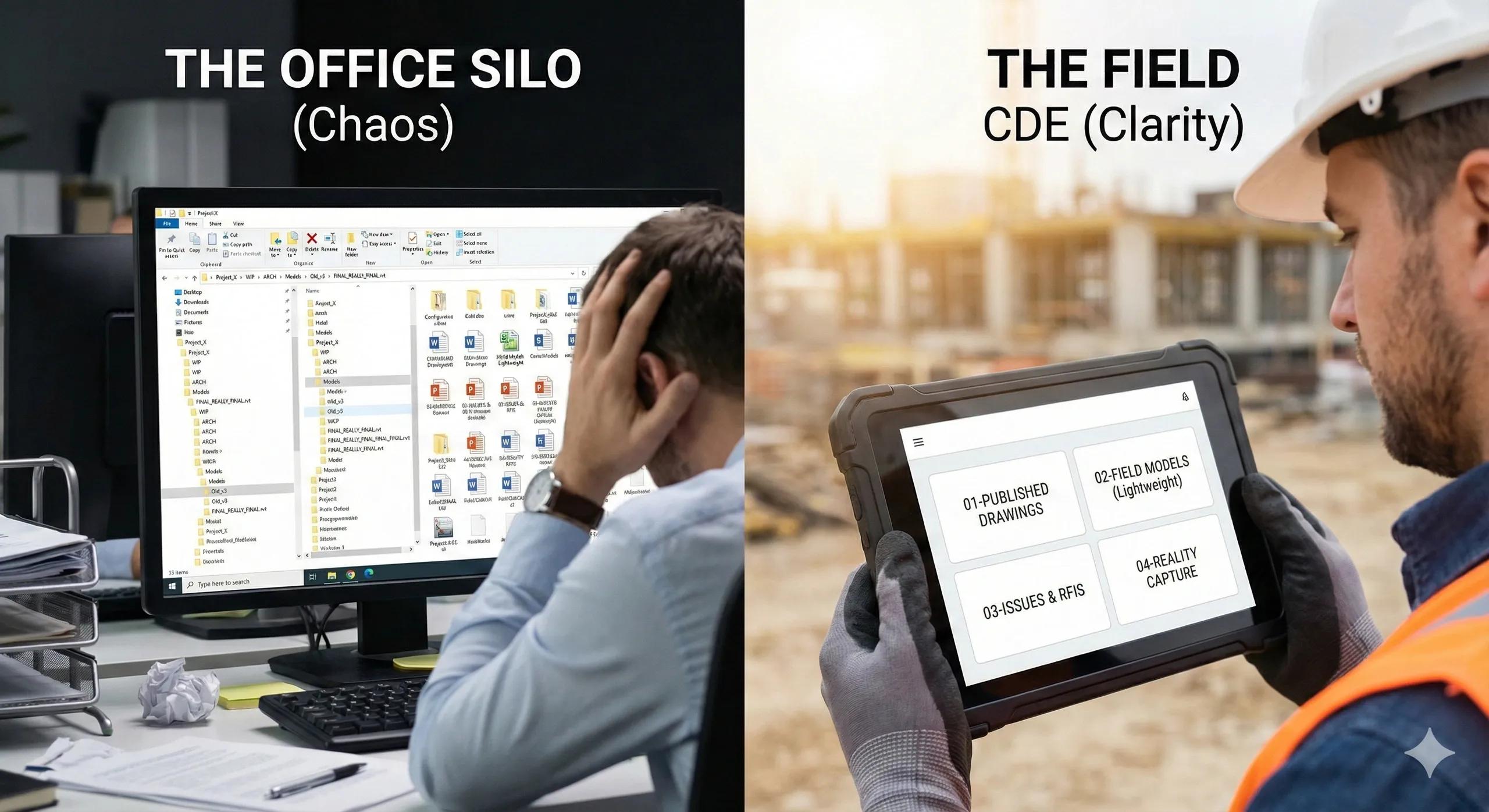
On most BIM-enabled projects, a Common Data Environment (CDE) exists in name, but not in function.
Files are uploaded. Folders are created. Permissions are assigned. Yet field teams still rely on PDFs, screenshots, emails, and messaging apps to get work done.
The issue is not the absence of a CDE. It is the absence of a field-centric CDE strategy .
A true Common Data Environment is not a document repository. It is a coordination engine , one that ensures the right information reaches the right person, at the right time, in the right format, and with the right spatial context.
This article explains how to configure a CDE that actually supports BIM-to-field workflows, rather than slowing them down.
1. Why Most CDEs Fail on Construction Sites
CDE platforms like Autodesk Construction Cloud, BIM 360, Trimble Connect, Bentley ProjectWise, or Aconex are powerful. Yet failures persist because of misaligned intent .
Common symptoms include:
Field teams downloading outdated drawings
Multiple “latest” versions of the same model
Unclear approval status
BIM models too heavy to open on-site
Reality capture data stored separately
GIS data inaccessible to site staff
The root cause is simple: CDEs are configured for document control, not for field execution.
2. What a CDE Is Actually Meant to Do
A properly configured CDE supports five core functions:
Single Source of Truth
Controlled Information Flow
Version & Status Clarity
Cross-Discipline Integration
Lifecycle Continuity (Design → Build → Operate)
If your CDE does not actively enable these, it is just cloud storage.
3. The Four Information States Every CDE Must Enforce
ISO 19650 defines four states of information. Field success depends on enforcing them rigorously.
1. Work In Progress (WIP)
Discipline-specific
Editable
Not visible to the field
2. Shared
Coordinated
Ready for review
Used for clash detection and planning
3. Published
Approved
Construction-ready
The only state the field should access
4. Archived
Superseded
Locked
Reference only
Most field errors occur when WIP or Shared files leak into site workflows .
4. Folder Structure That the Field Can Actually Use
A common mistake is organizing the CDE by discipline or software.
Field-friendly structures are organized by purpose , not author.
Recommended top-level structure:
📁 Published for Construction
📁 Construction Models (Lightweight)
📁 Drawings & Details
📁 Reality Capture
📁 Issues & RFIs
📁 Field Reports
📁 As-Built & Handover
Field teams should never need to navigate:
Discipline-specific modeling folders
Software-based file trees
Internal design workspaces
5. Model Strategy: One Model Is Not Enough
Field execution does not require the same model used for design authoring.
A robust CDE includes:
Authoring Models (heavy, editable)
Coordination Models (federated)
Field Models (lightweight, read-only)
Field models should:
Be geometry-filtered
Contain only required metadata
Be optimized for mobile devices
Load quickly over limited connectivity
Publishing the full authoring model to the field is a common, and costly, mistake.
6. Integrating Reality Capture into the CDE
Reality capture is often stored outside the CDE, breaking the BIM-to-field loop.
A field-ready CDE integrates:
Drone orthomosaics
Point clouds (segmented and clipped)
Progress meshes
Time-stamped capture cycles
This enables:
Visual progress verification
Deviation analysis
Evidence-based inspections
Payment validation
Reality data should sit next to the construction model , not in a separate system.
7. CDE Permissions: Less Access, More Clarity
Over-permissioning causes confusion.
Best practice:
Field teams see only Published information
Supervisors can raise issues but not modify models
Model edits remain centralized
Clear read/write boundaries
The CDE should prevent mistakes, not rely on training to avoid them.
8. Issue Management: The CDE as the Coordination Hub
Field issues must be:
Spatially tagged
Linked to model elements
Time-stamped
Assigned to responsible parties
Tracked to closure
Email-based RFIs destroy traceability.
A CDE-centric issue workflow preserves accountability.
9. Preparing the CDE for Digital Twin Transition
A well-configured CDE naturally evolves into a digital twin backbone.
This requires:
Stable asset IDs
Clean metadata
As-built verification links
Sensor-ready integration points
If your CDE cannot support handover and operations, it was never truly “common.”
10. The Field Test: One Simple Question
To evaluate your CDE, ask this:
Can a site supervisor open the platform and immediately know what to build today, without asking anyone?
If the answer is no, the CDE needs redesign.
Conclusion
A Common Data Environment should reduce complexity, not add to it.
When configured correctly:
Field teams trust the data
Errors reduce
Coordination improves
Reality capture validates progress
Digital twins emerge organically
CDE success is not about software choice.
It is about information architecture designed around the field , not the office.
In BIM-to-field workflows, the CDE is not a support tool, it is the operational backbone.